Last Updated: November 4, 2026
Quick Summary
Secure laptop disposal for corporate offices is the documented process of retiring business laptops so the data on them cannot be recovered, while the hardware is recycled or reused responsibly. Follow an end-to-end checklist: log serial numbers, pull every data-bearing drive, destroy it by wiping, cryptographic erasure or physical shredding, and collect a serial-level certificate of destruction.
- Deleting files or a factory reset does not remove data; it stays until overwritten or the drive is destroyed.
- NIST 800-88 gives three sanitization levels: clear, purge, or destroy, matched to data sensitivity.
- Name one accountable disposal owner per batch who signs handovers and reconciles the certificate.
- Reconcile the certificate of destruction line by line against your handover sheet and inventory.
- Cost depends on volume, drive type, service level, documentation, location, and reuse versus recycling.
Table of Contents
- Secure Laptop Disposal for Corporate Offices: The Full Workflow
- Business Laptop Data Destruction: Wiping, Cryptographic Erasure, or Physical Shredding
- Chain of Custody and Secure Collection for Bulk Laptop Pickup
- IT Asset Disposition for Laptops: Inventory, Reuse, and Recycling
- The Certificate of Data Destruction and Audit-Ready Records
- Corporate Laptop Disposal Cost: What Drives the Quote
- Build Your Corporate Laptop Disposal Program with Erecycler
- Frequently Asked Questions
Secure Laptop Disposal for Corporate Offices: The Full Workflow
Secure laptop disposal for corporate offices is the documented process of retiring business laptops so the data on them cannot be recovered, while the hardware is recycled or reused responsibly.
A retired laptop in a storage closet is a live data breach waiting for a date. It holds email archives, customer records, saved passwords, and cached files.
Below, we break down the full workflow, from the first inventory count to the final certificate you hand an auditor.
Why Retired Laptops Are a Data Risk
Deleting files does not remove them (How-To Guide for Removing Data from Storage Media | NIST). Neither does a factory reset. The data stays on the drive until it is overwritten or the drive is physically destroyed.
That gap is where breaches happen. A laptop sold, donated, or tossed in a dumpster can still hold readable files. A common mistake is assuming a login screen protects the disk. It does not.
Watch out: storing retired laptops in an open closet or unsecured room creates a chain-of-custody gap that no certificate can fix later.
The End-to-End Disposal Checklist
Here is the sequence we recommend for every batch of retired laptops. Follow it in order and you close the gaps that cause most audit failures.
- Freeze new purchases and confirm which devices are truly retired
- Record asset tags, serial numbers, and assigned users
- Remove devices from the network and revoke user access
- Pull and log every data-bearing device (drive, SSD, or soldered storage)
- Choose a destruction method per device (see next section)
- Package devices in locked bins with a signed handover sheet
- Schedule secure collection or onsite destruction
- Collect the certificate of destruction and verify it
- File records for your retention period
That checklist is the spine of the whole program. Everything below explains one step in more detail.
Business Laptop Data Destruction: Wiping, Cryptographic Erasure, or Physical Shredding
Business laptop data destruction comes down to three methods, and the right one depends on the drive type and your compliance needs. Wiping overwrites data with new patterns. Cryptographic erasure destroys the encryption key on a self-encrypting drive. Physical shredding reduces the drive to fragments.
Here is how they compare:
| Method | Best For | Speed | Proof You Get |
|---|---|---|---|
| Data wiping | Reuse or resale of working drives | Slow per drive | Wipe log with verification |
| Cryptographic erasure | Self-encrypting SSDs and modern laptops | Fast | Key-destruction record |
| Physical shredding | Failed drives, SSDs, high-risk data | Fast per batch | Certificate of destruction |
Physical shredding is the method Erecycler uses for hard drives, to NIST 800-88 standards.
How NIST 800-88 Guides the Decision
NIST 800-88 is the federal guideline for media sanitization, and it gives you a clear framework: clear, purge, or destroy. Clear is basic overwriting. Purge is stronger, including cryptographic erasure. Destroy means the media can never be read again.
The guideline does not mandate one method. It asks you to match the method to the data’s sensitivity.
If you want the specifics, our team explains the NIST 800-88 hard drive shredding requirements in detail, including what a compliant shred actually looks like.
NIST Special Publication 800-88 media sanitization guidelines
Chain of Custody and Secure Collection for Bulk Laptop Pickup
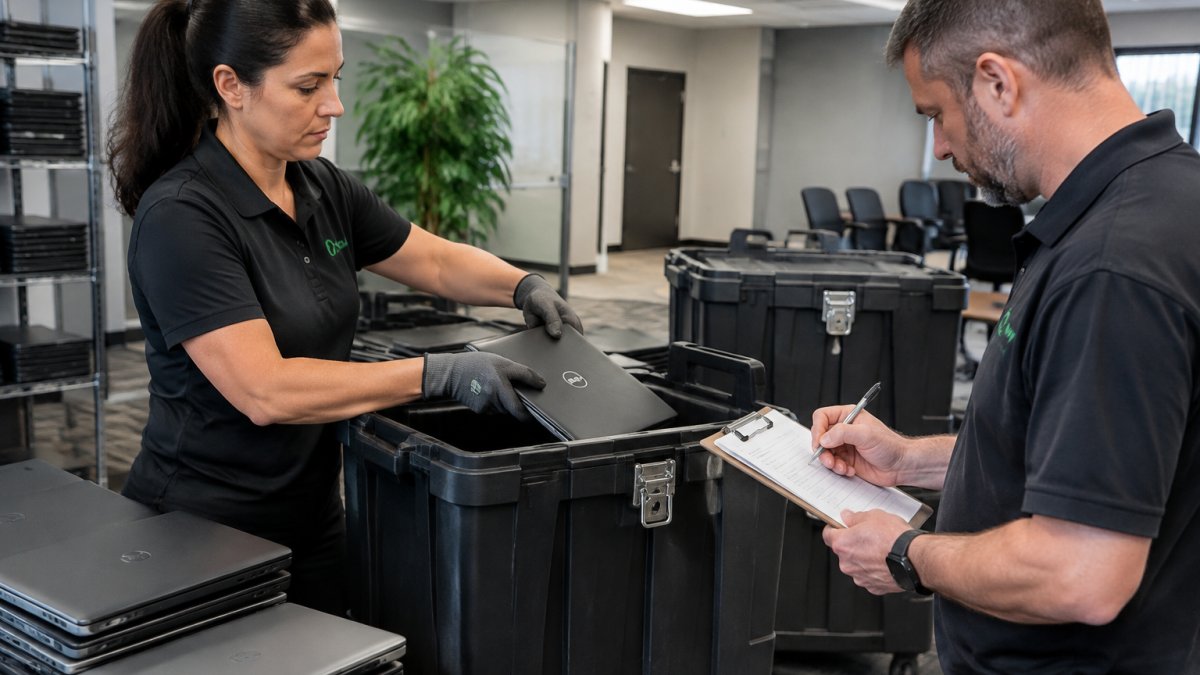
Chain of custody is the documented record of who held each device, where, and when, from your office to final destruction. It is the difference between “we think the drives were destroyed” and “we can prove it.”
Assign a single accountable owner
Name one person inside IT or security as the disposal owner for each batch. That person signs the internal handover, approves the pickup, and reconciles the final certificate. When ownership is shared across facilities, help desk, and procurement, devices go missing between handoffs and no one notices until an auditor asks.
Tag and log before anything moves
Before a laptop leaves its assigned user, record the asset tag, serial number, assigned user, and drive type. Apply a tamper-evident label to each device or to the sealed bin. The log should travel with the devices, not be reconstructed later from memory. A common pattern is a simple spreadsheet with one row per serial number and a status column that changes at each handoff.
Control the internal handoffs
Most chain-of-custody failures happen inside the building, not on the truck. Define who can move devices from a desk to the storage cage, who can open the cage, and who can release devices to the vendor. Restrict the storage area to named staff, keep it locked, and log every entry and exit of devices. If a device is pulled for parts or diagnostics, record that movement too.
Reconcile serial numbers at every transfer
At pickup, count the devices against the log and have both your representative and the driver sign a handover sheet that lists every serial number. Do not accept a count-only receipt. After destruction, reconcile the certificate of destruction line by line against the handover sheet and your original inventory. Any serial number that cannot be matched should be treated as an exception and investigated before records are filed.
Watch out: letting a driver take unlogged devices “to sort later” breaks the chain. Once the count is lost, so is your audit defense.
Schedule collection around your security posture
Bulk laptop pickup should be scheduled, not improvised, so the chain of custody stays documented from the moment devices leave your building. If you are planning a larger pickup, you can see how chain of custody is documented and maintained through collection.
Keep the record long enough to matter
Store the inventory log, signed handover sheets, and certificates together so an auditor can follow one device from user to destruction without hunting across systems.
IT Asset Disposition for Laptops: Inventory, Reuse, and Recycling
IT asset disposition for laptops covers the full lifecycle: inventory, data destruction, then reuse or recycling of the hardware.
Start with an asset inventory. Record make, model, serial number, and condition for every device. That list becomes your baseline for reporting.
Next, decide the fate of each device:
- Reuse: working laptops that pass data destruction can be refurbished
- Recycling: broken or obsolete units get dismantled for parts and materials
- Responsible recycling: ensures e-waste does not end up in a landfill
Manual dismantling is one way recyclers separate components and keep toxins out of the waste stream.
EPA guidance on electronics donation and recycling
The Certificate of Data Destruction and Audit-Ready Records
A certificate of data destruction is the document that proves your drives were destroyed, listing serial numbers and the destruction method. It is the record an auditor will ask for first.
Before you accept a certificate, check these points:
- Does it list each serial number, not just a total?
- Does it name the destruction method and standard used?
- Is it signed and dated?
- Can you match it back to your handover sheet?
Our guide on how to verify data destruction certificates walks through the checks we recommend before you file one as audit evidence.
Corporate Laptop Disposal Cost: What Drives the Quote
Corporate laptop disposal cost depends on volume, drive type, service level, and documentation, not on a single flat rate. Pricing depends on quantity, drive types, service level, and documentation, so we provide a quote for each project.
The cost drivers, in plain terms
- Volume: more devices usually means a lower cost per device, and many vendors set minimum batch sizes or minimum pickup charges.
- Drive type: solid-state drives and soldered storage need different handling than spinning disks, and some vendors price them differently.
- Service level: onsite destruction costs more than scheduled pickup because it requires mobile equipment and staff time at your location.
- Documentation: serial-level reporting and certificates take more administrative work than a count-only receipt.
- Location and scheduling: distance, building access requirements, and after-hours timing affect logistics and price.
- Reuse versus recycling: working devices with resale value may offset part of the cost, while broken or high-risk units are priced as destruction only.
Compare quotes on inclusions, not just the total
Two quotes with the same headline number can cover very different work. Build a simple comparison sheet and confirm for each vendor:
- Is the certificate serial-level or count-only?
- Is transport, loading, and packaging included?
- Is onsite destruction available, and at what premium?
- Are minimum volumes or minimum pickup fees applied?
- Is data-bearing media handled separately from the chassis?
- Are sustainability and diversion reports included?
- What is the turnaround from pickup to certificate?
Questions to ask before you sign
Ask how the vendor documents chain of custody, what happens if a serial number cannot be matched, and whether they carry insurance for data loss. Ask for a sample certificate and a sample report so you can see the level of detail before you commit. A vendor that cannot produce samples is a risk.
Budget for the program, not the purge
A one-time purge is a project cost. A disposal program is an operating cost that recurs as laptops retire. We do not publish flat prices because every project differs. For a cost breakdown to benchmark against a quote, see our onsite hard drive destruction service cost guide.
Build Your Corporate Laptop Disposal Program with Erecycler
A one-time purge solves today’s problem. A program solves the next five years of them.
The challenge is consistency. Laptops retire every month, not once a year. Without a repeatable process, devices pile up and the risk grows quietly.
Erecycler builds that process for you. We are a family-owned and operated business with 27 years of experience, serving clients from single-laptop users to multinational data centers. Our programs include:
- Hard drive shredding to the NIST 800-88 standard
- Documented chain of custody for all assets
- Sustainability metrics and diversion reporting
- Manual dismantling and a zero-landfill environmental commitment
You get proof of destruction past recovery, not just a promise. When you are ready to price your program, get a free quote and we will scope it to your device count and timeline.
Frequently Asked Questions
What do corporations do with old laptops?
Most corporations follow a process that includes inventorying the device, destroying the data to NIST 800-88 standards, and recycling the hardware. Secure laptop disposal for corporate offices also includes documented chain of custody and a certificate of data destruction. Devices are physically shredded and the materials sent to responsible electronics recycling.
Should a company wipe or physically destroy laptop drives?
The choice depends on the drive type and your risk tolerance. Erecycler shreds hard drives to the NIST 800-88 standard, which many compliance teams choose for any device that stored regulated data.
What documentation should a business get after laptop disposal?
Ask for a certificate of data destruction and documented chain-of-custody records. Pair it with chain-of-custody records showing every handoff from your office to the destruction facility. For sustainability goals, ask about sustainability metrics and diversion reporting. These records are what auditors and regulators expect to see.
Can corporate laptops be recycled after data destruction?
Yes. Once the storage device is sanitized or shredded, the remaining laptop components can be dismantled and recycled. Manual dismantling separates plastics, metals, and circuit boards so toxins stay out of the waste stream. Erecycler offers a zero-landfill environmental commitment, along with sustainability metrics and diversion reporting.
Retired laptops are a data risk the moment they leave the network. Build the checklist, lock down the chain of custody, and keep the paperwork. Get started with Erecycler and turn your retired fleet into a documented, audit-ready disposal program.
