Last Updated: November 7, 2026
Quick Summary
To verify hard drive destruction, match a serial-level destruction certificate against your asset inventory and confirm it is backed by a full chain of custody, from signed pickup manifest to per-serial destruction log. Combine that paperwork with physical evidence, such as a residue sample or witnessed destruction, tied to the same serial numbers.
- A certificate that lists a quantity instead of serial numbers cannot be matched to your asset inventory.
- A complete audit trail includes a pickup manifest, transport log, destruction log, certificate, and exception report.
- Chain of custody should track serial numbers, not boxes, with a signature and timestamp at each handoff.
- Ask which NIST 800-88 category the method falls under and what shred size the vendor produces.
- Photos prove a shredder ran, but only witnessed destruction or a per-serial destruction log ties your drives to the event.
Table of Contents
- Why Verification Matters: Wiping Is Not Destruction
- What a Hard Drive Destruction Certificate Must Prove
- Hard Drive Chain of Custody: Tracking Every Serial Number
- NIST 800-88 Media Sanitization and What It Means for Your Proof
- A Practical Hard Drive Destruction Vendor Checklist
- Physical Evidence: What Actually Proves a Drive Was Destroyed
- Build Your Verification Program With Erecycler
- Frequently Asked Questions
Why Verification Matters: Wiping Is Not Destruction
A wiped drive and a destroyed drive can look identical on a shelf. That gap is where compliance failures live.
Here is the core problem. Data erasure leaves the drive intact and reusable. Physical destruction turns it into scrap. Both remove data. Only one removes the device.
Data sanitization is the process of rendering data on a storage device unrecoverable. It covers both software erasure and physical destruction, but the proof for each is different.
Most organizations assume a wipe report equals destruction. It does not. A wipe report proves a tool ran.
Below, we break down how to confirm each stage, from certificate to chain of custody to physical evidence.
What a Hard Drive Destruction Certificate Must Prove
A hard drive destruction certificate is a signed record that identifies specific devices and states how and when they were destroyed. A useful certificate must prove four things: what was destroyed, how, when, and who witnessed it. Most certificates fail on the first point. They list a quantity, not serial numbers. A line that reads “40 hard drives” cannot be matched to your asset inventory. A line that lists 40 serial numbers can.
Check for these fields before you accept any certificate:
- Unique device identifiers for every drive, matched to your asset inventory
- Destruction method named specifically, such as shredding, crushing, or degaussing
- Date and location of destruction, on-site or off-site
- Witness name and signature, internal or third-party
- Shred size or residue specification for physical methods
- Statement of irretrievability tied to a standard
The difference between a certificate and a report matters here. A certificate attests to an event. A destruction report may just summarize a batch. Ask for the certificate.
What a Complete Audit Trail Looks Like
A certificate is only one document in a chain. The full audit trail should let an outside reviewer reconstruct the event without calling you. A complete audit trail typically contains the following fields:
| Record | Key Fields | What It Establishes |
|---|---|---|
| Pickup manifest | Date, location, driver name, seal number, serial list | Devices left your control |
| Transport log | Seal intact on arrival, GPS timestamp, receiving signature | No unlogged access in transit |
| Destruction log | Serial number, method, shred size, operator, witness | Each device was processed |
| Certificate of destruction | Serial list, method, date, location, signatory | Formal attestation of the event |
| Exception report | Serial number, reason (missing, damaged, unreadable), disposition | Gaps are documented, not hidden |
A common pattern is for vendors to supply the certificate but not the underlying logs. Ask for the full set. If the certificate lists a serial number that does not appear on the pickup manifest, or vice versa, you have a reconciliation problem that needs an exception report before you close the job.
Watch out: a certificate that arrives without a matching destruction log and exception report is a summary, not proof. Treat it as a claim to be verified, not a record to be filed.
Reconciling the Certificate Against Your Inventory
Do the reconciliation yourself rather than trusting the vendor’s count. Export your asset inventory as a serial-number list, then match it line by line against the certificate. Three outcomes are possible for each drive: matched and destroyed, matched but listed as an exception, or missing from the certificate entirely. The third outcome is the one that fails audits. A drive that appears on your inventory but not on any destruction record is an unresolved asset, and it should trigger a written inquiry to the vendor before you accept the job as complete.
For a deeper walkthrough of how to check a certificate’s authenticity and details, see 7 ways to verify data destruction certificates.
Hard Drive Chain of Custody: Tracking Every Serial Number
Hard drive chain of custody is the documented record of who held each device at every point between pickup and destruction.
A chain of custody that holds up under audit tracks serial numbers, not boxes. Each handoff needs a signature, a timestamp, and a count that reconciles.
Watch out: the most common failure is a count that reconciles at the box level but not the device level. A missing drive hides easily inside a sealed pallet.
Build the record around these checkpoints:
- Collection: serial numbers logged and signed at pickup
- Secure transport: sealed containers, with GPS tracking where offered
- Receiving: inbound scan reconciled against the manifest
- Destruction: each serial marked destroyed at the shredder
- Reporting: final certificate matched back to the original inventory
To see what a real chain-of-custody record looks like and how serial numbers are documented, review how the record is built.
NIST 800-88 Media Sanitization and What It Means for Your Proof
NIST 800-88 media sanitization is the federal guidance that defines how to render data unrecoverable and how to document it. Your certificate should name it, and your vendor should be able to explain how their process maps to it.
The guidance separates sanitization methods by media type and by confidence level. For hard disk drives, physical destruction is the highest-assurance option. For solid-state drives, shredding is often preferred because overwrite methods behave differently on flash memory.
This is where verification gets specific. Ask your vendor three questions:
- Which NIST 800-88 category does this method fall under?
- What shred size do you produce, and does it render platters and flash chips irretrievable?
- How do you handle drives that fail during processing?
If the answers are vague, the certificate is decoration. For the specific shredding requirements that underpin the proof, read the NIST 800-88 shredding requirements explained.
A Practical Hard Drive Destruction Vendor Checklist
Use this checklist before you sign a contract, and again before every pickup. It is the fastest way to separate a real destruction program from a resale operation with a shredder in the back.
- Vendor provides serial-level certificates, not batch counts
- Chain of custody includes signatures and timestamps at each handoff
- On-site destruction or witnessed destruction is available
- Shred size is specified in writing
- NIST 800-88 alignment is stated on the certificate
- Secure transport uses sealed containers and GPS tracking
- Vendor confirms devices are never resold after wiping
- Exception handling is documented for damaged or unreadable drives
- Audit trail is retained and retrievable on request
- Pricing model is disclosed upfront, per device or per project
That last item matters more than people expect. Pricing that hides behind “call us” often signals a broker, not a processor. Ask directly how the fee is calculated.
| Verification Step | What to Ask For | What It Proves |
|---|---|---|
| Certificate review | Serial-level certificate | Specific devices were destroyed |
| Chain of custody | Signed handoff log | Devices never left the process |
| Standard alignment | NIST 800-88 reference | Method meets federal guidance |
| Physical evidence | Residue sample or photo | Destruction actually occurred |
| Audit trail | Retained records | Proof survives an audit |
Physical Evidence: What Actually Proves a Drive Was Destroyed
Paperwork can be forged. Shredded metal is harder to fake. The strongest verification combines both, and most programs only deliver one.
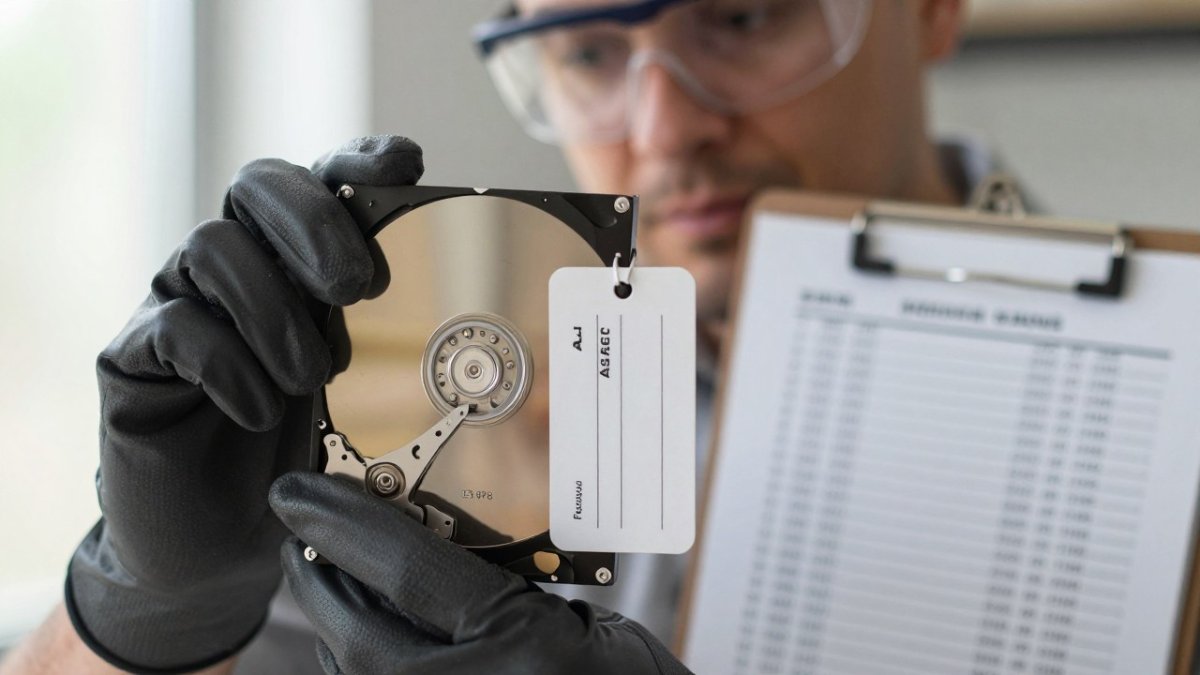
Physical evidence takes a few forms. You can request a residue sample, a photo of the shredded media, or a witnessed destruction session where your own staff watch the drives go in. Each has limits.
- Residue samples prove material was destroyed, not which drive it came from
- Photos prove a shredder ran, not that your specific serial numbers were in it
- Witnessed destruction ties the device to the event, which is why it is the strongest option
How to Judge Shred Size and Residue
Shred size is the most concrete physical specification you can check, and it is the one most often left vague. For hard disk drives, the goal is to reduce the platters and the controller board beyond any realistic recovery attempt.
For solid-state drives, the data lives in flash memory chips, not on spinning platters. A shredder that produces large fragments may leave whole chips intact. Ask specifically whether the process reduces flash packages to small particles, and request a sample from an SSD job rather than an HDD job.
What Physical Evidence Can and Cannot Prove
Physical evidence proves an outcome, but only if it is tied to your serial numbers. A photo of a bin of shredded metal proves a shredder ran. It does not prove your drives were in it. A residue sample proves material was destroyed, not which device it came from.
This is the gap most guides miss. A certificate proves a process. Physical evidence proves an outcome. You want both, tied to the same serial numbers.
Watch out: a vendor who offers photos but cannot produce a per-serial destruction log is showing you that a shredder exists, not that your drives went into it.
Build Your Verification Program With Erecycler
Verification is a program, not a document. The organizations that pass audits cleanly treat every pickup as a tracked event with a record at each stage.
Erecycler has been a family-owned and operated business since 1999, providing secure, concierge-style electronics recycling and data destruction services. Start with hard drive shredding and secure data destruction, or get a free quote to see how the program fits your volume.
The challenge is simple: pick one certificate from your last destruction job and try to match every serial number to your asset inventory. If you cannot, your verification program has a gap. Erecycler closes that gap with serial-level chain of custody, NIST 800-88 shredding, and records built for audits.
Frequently Asked Questions
What should a hard drive destruction certificate include?
A usable hard drive destruction certificate lists each device by serial number and asset tag, the destruction method (shredding, crushing, or degaussing), the date and location of destruction, the name of the technician and any witness, and a statement of the standard followed, such as NIST 800-88. It should also reference the corresponding chain of custody record. Ask for the certificate to be signed and issued on tamper-proof paper or a verifiable digital format so it holds up during an audit.
Is visual inspection enough to confirm hard drive destruction?
Visual inspection alone is weak proof. Seeing a damaged drive does not tell you whether the platters were actually destroyed or whether the device you are looking at is the one from your asset list. Pair any visual check with serial-number matching, a signed hard drive destruction certificate, and a chain of custody record. For solid-state drives, shred size matters more than appearance because flash chips are small and can survive partial damage. Insist on documented shred size and a witnessed destruction report.
How do you verify a vendor’s chain of custody for hard drives?
Start with a serialized asset inventory before pickup, then require signed handoffs at every transfer point: your dock, the transport vehicle, and the destruction facility. Ask whether transport is GPS tracked and whether drives stay in sealed, tamper-evident containers. Request the completed hard drive chain of custody form after the job and reconcile it against your inventory line by line. Any gap, missing signature, or unaccounted serial number is an exception that should be documented and resolved before you accept the destruction report.
Does a certificate of destruction prove that data is unrecoverable?
A certificate is a vendor’s attestation, not independent proof. It proves the vendor says the drive was destroyed to a stated standard, and it is only as reliable as the vendor’s procedures and your verification of them. Strengthen it by matching serial numbers, reviewing the chain of custody, and where risk is high, witnessing on-site destruction. For compliance purposes, keep the certificate, the chain of custody record, the asset inventory, and any wipe or destruction reports together as one audit trail.
