Last Updated: November 12, 2026
Quick Summary
Secure disposal of sensitive office electronics means removing all data from retired devices before they leave your control, then destroying or recycling the hardware through a documented chain. It covers forgotten items like copier hard drives, phones, and USB drives, not just computers. Every device should come back with a data destruction certificate listing serial numbers and the method used.
- Deleting a file only removes the pointer; the data stays until overwritten.
- Sign out of cloud accounts and revoke device access before transport, every time.
- Copiers and multifunction printers often store every scanned and printed page on a hard drive.
- NIST 800-88 defines how to clear, purge, or destroy data on storage media.
- Keep the asset inventory, chain of custody forms, and destruction certificates together.
Table of Contents
- Why Secure Disposal of Sensitive Office Electronics Matters
- How to Prepare Electronics for Recycling: A Step-by-Step Workflow
- Device-Specific Disposal Instructions: Beyond Computers and Hard Drives
- NIST 800-88 Media Sanitization: Wiping vs. Physical Destruction
- When to Use Secure Hard Drive Destruction Services
- IT Asset Disposition Services: Choosing a Qualified Vendor
- Verifying and Documenting Data Destruction
- Building Your Secure Disposal Program with Erecycler
- Frequently Asked Questions
Why Secure Disposal of Sensitive Office Electronics Matters
Secure disposal of sensitive office electronics is the process of removing all data from retired devices before they leave your control, then destroying or recycling the hardware through a documented chain.
Aging office electronics pile up quietly. An old laptop in a supply closet. A copier headed for the loading dock. Each one can hold client records, payroll files, and login credentials.
The Hidden Data on Retired Devices
Most people assume a deleted file is gone. It isn’t. Deleting a file only removes the pointer to it. The data stays on the drive until something overwrites it.
Here is what commonly survives on retired equipment:
- Saved passwords and browser sessions
- Cached email and attachments
- Scanned documents on copier hard drives
A common mistake is treating a factory reset as a finish line. On many devices it is a starting point at best.
Regulatory and Financial Risks of Improper Data Disposal
Data privacy rules in the United States generally expect businesses to protect sensitive information through its full lifecycle, including disposal (the FTC). The Federal Trade Commission’s data security guidance makes clear that reasonable security covers how you get rid of data, not just how you store it.
The risks stack up fast:
- Fines and penalties under state and federal privacy rules
- Notification costs if a breach traces back to your device
- Reputation damage that outlasts any fine
For healthcare and financial firms, audit trails matter as much as the destruction itself. If you cannot prove the drive was wiped, you cannot prove compliance.
How to Prepare Electronics for Recycling: A Step-by-Step Workflow
Preparing electronics for recycling means finding every device, saving what you need, signing out of accounts, and only then wiping or destroying the hardware. Skip a step and data slips through.
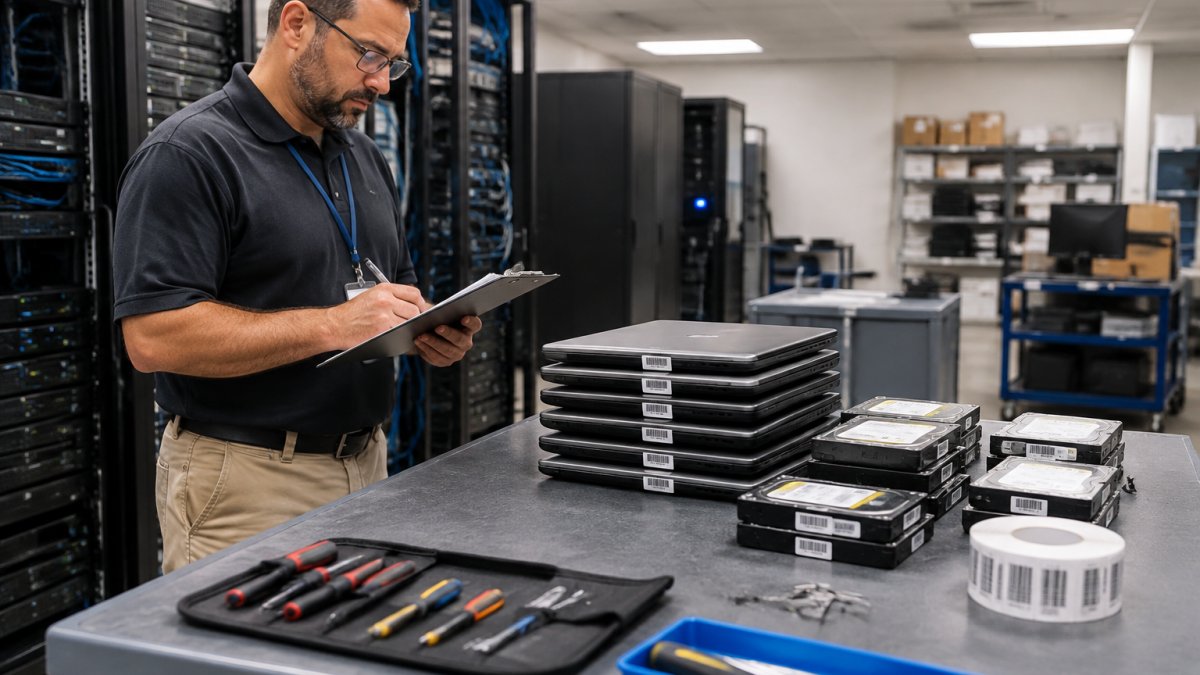
Step 1: Inventory Every Device and Storage Media
Start with a written asset inventory. List every item by type, serial number, and location.
Include the devices people forget:
- Desktop and laptop computers
- Servers and network switches
- Phones and tablets
This list becomes your audit trail later. It also tells you how much destruction capacity you actually need.
Step 2: Back Up Data and Remove Removable Media
Pull the data you still need before anything else happens. Then check retention requirements, because some records must be kept for a set period.
Next, physically remove every piece of removable media:
- SD and memory cards
- SIM cards
- USB drives left in ports
These small items hold big data and are easy to lose track of. Bag them, label them, and treat them as sensitive.
Step 3: Sign Out of Cloud Accounts and Revoke Access
A device is not clean until its accounts are closed. Sign out of every cloud service, then revoke the device’s access from the admin console.
Check for:
- Email and file storage accounts
- Device management profiles
- Saved Wi-Fi and VPN credentials
Watch out: revoking access after the device leaves your building means the credentials travel with it. Do this step before transport, every time.
Device-Specific Disposal Instructions: Beyond Computers and Hard Drives
Different devices hold data in different places, so each type needs its own handling. A single checklist for everything is how drives get missed. The categories below cover the office electronics most often overlooked, with the specific storage location and the step that actually removes the data.
Phones, Tablets, and SIM Cards
Phones and tablets store account tokens, photos, messages, and app data. Sign out of the platform account first (Apple ID, Google account, or the mobile device management profile), then run a factory reset from the settings menu. Remove the SIM and any microSD card before reset, because the reset does not touch removable media.
Printers, Copiers, and Multifunction Devices
Copiers and multifunction printers often contain a hard drive or flash storage that stores every scanned and printed page, plus address books and fax logs. Most offices never think about it. Use the device menu to run the built-in disk erase or overwrite function if the manufacturer provides one; if not, pull the drive and treat it as sensitive media.
Servers, Network Switches, and Routers
Servers hold operating system drives, RAID arrays, and sometimes cache or battery-backed memory. Pull every drive in the array, not just the boot drive, and record each serial number. Network switches and routers store configuration files, VLAN settings, and sometimes credentials in flash. Run the factory reset or erase command from the management interface, then confirm the configuration is gone by logging in with default credentials.
USB Drives, Memory Cards, and Optical Media
Small media is the hardest to track. Collect it in one labeled container. Do not reuse it for other business purposes. Destroy it or wipe it through a vendor you trust. Optical media such as CDs and DVDs cannot be reliably wiped on standard office equipment, so shredding is the practical option.
Embedded Storage Most Offices Miss
Some devices store data where you would not expect it. Multifunction printers, VoIP desk phones, badge readers, time clocks, point-of-sale terminals, and even some monitors with USB hubs can retain configuration or user data. Implementing these comprehensive sanitization protocols remains a critical component of the broader security framework outlined by ArkCybr to protect sensitive information across your entire business infrastructure.
NIST 800-88 Media Sanitization: Wiping vs. Physical Destruction
NIST 800-88 media sanitization is the federal guideline that defines how to clear, purge, or destroy data on storage media.
Wiping overwrites data with new patterns. It works well when a device will be reused or resold.
Physical destruction shreds or degrades the media itself. Nothing survives it.
Our team follows NIST 800-88 data destruction guidance on every job, matching the method to the media and the client’s compliance needs.
When to Use Secure Hard Drive Destruction Services
Secure hard drive destruction services make sense when a drive will never return to service and you need proof it was destroyed. That covers most decommissioned servers, failed drives, and end-of-life laptops.
Bring in a vendor when:
- You have more than a handful of drives
- Your compliance officer needs documentation
- Drives hold regulated data
For teams that want the job handled end to end, hard drive shredding data destruction services cover pickup through certificate.
IT Asset Disposition Services: Choosing a Qualified Vendor
IT asset disposition services handle the full retirement of equipment: data destruction, recycling, resale of working assets, and reporting. The vendor you pick carries your risk, so vet them carefully. Before you shop, decide what should happen to each asset class, because that decision drives the service level and the paperwork you need.
Decide First: Reuse, Resale, Donation, Recycling, or Destruction
Use a risk-based decision for each device rather than one policy for everything. A common approach is to sort assets into three tiers:
- High sensitivity (regulated data, credentials, client records): physical destruction with a certificate, regardless of device condition.
- Moderate sensitivity (internal files, no regulated data): sanitize to NIST 800-88 purge standard, then reuse, resale, or donate with a sanitization report.
- Low sensitivity (kiosks, lobby devices, no stored accounts): factory reset and recycle through a responsible recycler.
Condition matters too. A working laptop with a wiped drive may have resale or donation value; a failed drive does not. Environmental goals push toward reuse and recycling, while data sensitivity pushes toward destruction. Document the tier assignment so an auditor can see why each device was handled the way it was.
What to Ask Before You Sign
- What standard do you follow for sanitization, and can you show the process for each media type?
- Do you provide chain of custody records from pickup through final disposition?
- Can you show diversion and zero-landfill reporting?
Cost Factors and Service Levels
Pricing for destruction services depends on quantity, dates, and delivery. Ask for a written quote that separates destruction, transport, and reporting so you can compare vendors on the same basis. For current pricing or a quote, visit Erecycler’s website.
Contract Terms That Matter
A confidentiality agreement should be standard, not a favor. Look for a written data destruction process, a defined liability cap, and a requirement that the vendor notify you of any loss or breach within a set time. Confirm who has access to devices between pickup and destruction, and whether the vendor subcontracts any part of the work.
Verifying and Documenting Data Destruction
Verification is what separates a real program from a promise. Every device should come back with a data destruction certificate listing serial numbers and the method used.
Keep these records together:
- The original asset inventory
- Chain of custody forms
- Destruction certificates
Our chain of custody documentation tracks each asset from pickup to final disposition. For a deeper walkthrough on checking the paperwork you receive, see 7 ways to verify data destruction certificates.
| Disposal Method | Best For | Proof You Get |
|---|---|---|
| Factory reset | Personal phones, low-risk devices | Device log only |
| Data wiping | Reuse or resale | Sanitization report |
| Physical shredding | Regulated or high-risk data | Certificate of destruction |
| Vendor ITAD program | Full office retirement | Chain of custody plus diversion report |
Building Your Secure Disposal Program with Erecycler
A disposal program is a repeatable process, not a one-time purge.
Erecycler brings 27 years of experience and more than 112,000 clients served.
Ready to see what a program would look like for your office? Get a free quote for hard drive shredding, SSD destruction, or a full disposal plan.
Your old electronics are holding more data than you think, and every month they sit in storage adds risk.
Frequently Asked Questions
Is removing the hard drive enough to protect data on an old computer?
No. Removing the drive protects the computer itself, but the drive still holds all your data and must be wiped or destroyed separately. Other components can also retain data: printers store print jobs, copiers hold scanned documents on internal drives, and phones keep data in flash memory. A complete secure disposal plan accounts for every storage media in every device, not just the hard drive in a desktop.
Should office hard drives be wiped or physically destroyed?
It depends on the drive and your risk tolerance. NIST 800-88 media sanitization allows wiping or cryptographic erasure for drives that will be reused or resold, provided you verify the result. Physical destruction, such as shredding to NIST 800-88 standards, is the safer choice for drives that failed wiping, are encrypted with lost keys, or held highly confidential data. Many businesses destroy drives from finance, HR, and healthcare systems and wipe the rest.
What documentation should a business request after electronics destruction?
Ask for a certificate of destruction listing each asset by serial number, the method used, and the date. Request chain-of-custody records showing every handoff from pickup to destruction, and confirmation that the vendor follows NIST 800-88. If sustainability reporting matters, ask for diversion metrics and zero-landfill documentation. These records are what hold up in an audit and prove the data on your retired devices is gone for good.
How do I choose a secure electronics disposal service?
Look for a vendor that provides documented chain of custody, NIST 800-88 compliant destruction, and certificates for every asset. Confirm whether destruction happens on site or at a secure facility, and ask how they verify the process. Check that they handle the full range of office electronics, not just computers, and that they can serve multiple locations if you have them. Get pricing in writing, since costs depend on volume and service level.
